Turn a CSV Into an Org Chart
Upload structured CSV rows, review the reporting lines, and turn them into a live org chart without rebuilding the hierarchy by hand.
CSV and Excel import is included with TeamChart Pro. You can review the file before it replaces a chart.

Inspect the chart created from the sample CSV
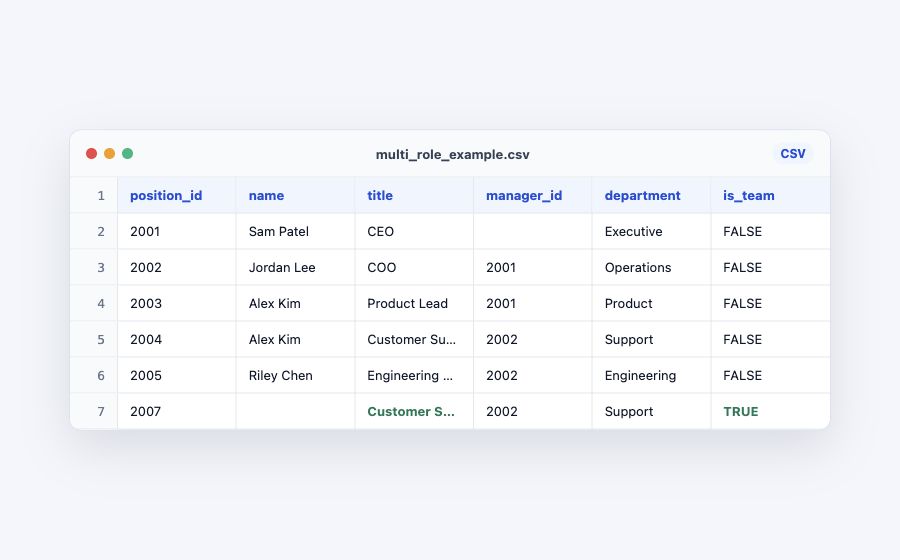
The source file and this live chart use the same fictional people, reporting IDs, team nodes, and multi-position assignments.
Search the chart, inspect the hierarchy, and open the full example before importing your own data.
Use TeamChart’s CSV column names
TeamChart validates a defined import format. It does not ask you to map arbitrary columns during import.
| Column | Required | What it controls |
|---|---|---|
position_id |
Yes | A unique ID for every position or team row. |
title |
Yes | The position or team name shown in the chart. |
department |
Yes | The department label shown on the position. |
manager_id |
Optional | References another row’s position_id. Leave blank at the top level. |
name |
Optional | Assigns a person to the position. Repeat a name for multiple positions. |
is_team |
Optional | Use TRUE when the row should become a team node. |
How to Import a CSV Org Chart
Prepare the rows, review the validation result, and import only when the structure is ready.
Download the sample CSV
Use the sample’s exact headers as the starting point for your own file.
Add position and manager IDs
Give every row a unique ID and connect reporting lines with matching manager IDs.
Upload up to 500 rows
Create a chart, choose Import, and select the prepared CSV file.
Review errors and warnings
Check the detected positions, people, teams, and top-level rows before importing.
Import, edit, and share
Build the chart from the reviewed rows, then adjust, embed, share, or export it.
CSV To Org Chart FAQ
Practical answers for preparing and reviewing a TeamChart CSV import.
position_id, title, and department. Optional columns are name, manager_id, and is_team.
manager_id must match another row’s position_id. Leave it empty for at least one top-level position.
Import Your CSV Org Chart
Keep the CSV as structured source data, then use TeamChart to review and maintain the visual chart.