Construction
Keep the office and field teams connected.
Show leadership, preconstruction, project delivery, field operations, safety, and finance in one structure.
- Clarify project and site ownership
- Plan the next field or office hire
Build a clear org chart without the overhead. TeamChart stays easy to build and read as teams, regions, and reporting lines get more complex.
Free to start · No credit card required
Built for real-world org complexity
Start from a blank canvas, template, or import, then plan structure, assign people, and share the result.
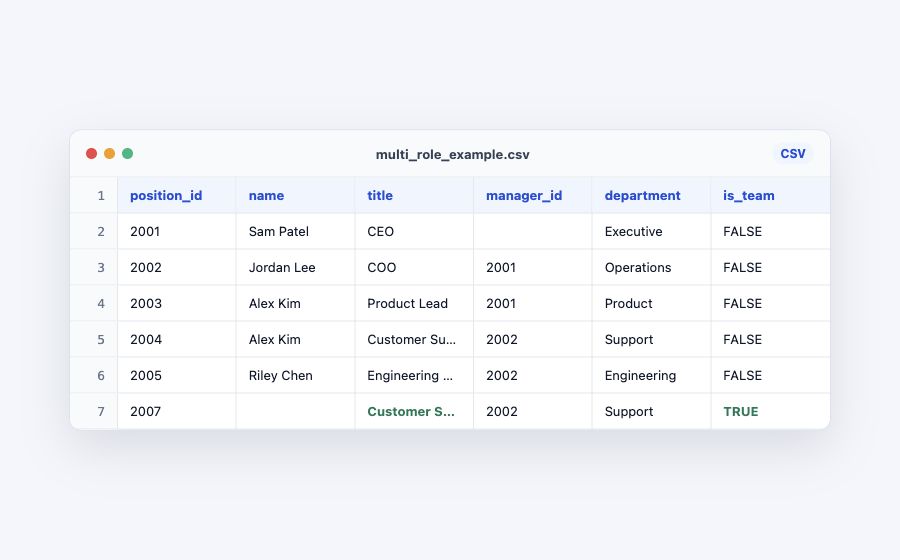
Begin with a blank chart or an org chart template. Already have the org mapped? Follow the CSV import guide or Excel import guide to prepare your data for Pro import.
Move reporting lines, assign people, duplicate scenarios, and clarify departments directly on the chart.
Publish a read-only link, embed a chart, or export PNG/PDF/CSV for decks and docs.
From TeamChart users
The same themes keep coming up when people use TeamChart for real organization work.
“Easy to build, read, and navigate—even when the structure gets complex.”
“Useful for mapping people, locations, regions, and client structures in one place.”
“Faster to get useful results than tools that need heavy setup or manual slide work.”
Explore practical org chart examples, then start with an editable structure that fits the way your team works.
Construction
Show leadership, preconstruction, project delivery, field operations, safety, and finance in one structure.
Growing company
Give operations, sales, delivery, customer support, and administration a clear place as the team expands.
Technology
Show how the teams building, selling, supporting, and operating the product work together.
Use Pro for larger org design work, or contact us for collaboration, API access, and advanced features.
Best for mapping a first chart and seeing how the editor feels.
Best for active org design work, client deliverables, and maintained team structures.
One purchase for your TeamChart account. No recurring subscription.
For organizations that need collaboration, API access, or more advanced features.
Common questions from People/HR leaders and consultants.
Design from scratch, choose a template, or import existing org data when you have it.
Early adopter price: pay $39 once for lifetime TeamChart Pro access.